
WHS Office 2011
 WHS Office 2011 is a Windows Server Solutions add-in for use with Windows Home Server 2011, Windows Small Business Server 2011 Essentials, or Windows Storage Server 2008 R2 Essentials. It provides individual user-level access to the Microsoft Office applications from your server.
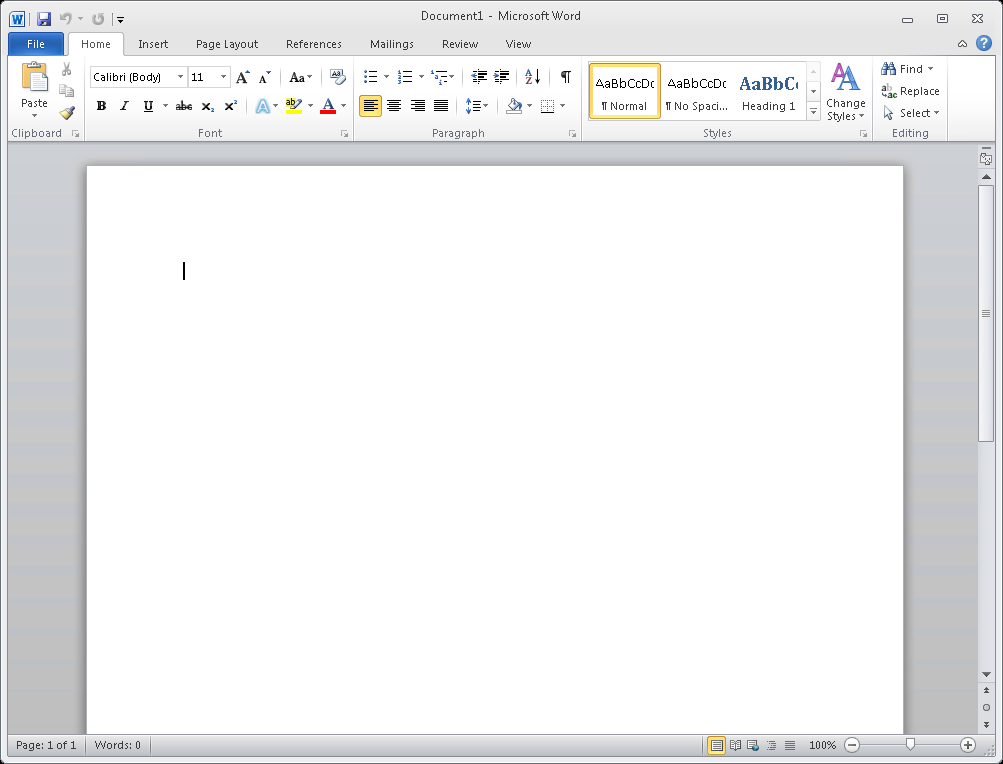
WHS Office 2011 can run a server-installed copy of each of the Microsoft Office applications from any computer just as if they were running directly on the local computer. Each application runs in its own fully resizable window with its own entry in the taskbar. Its popup windows are redirected to the local desktop, its notification area icons (if any) appear in the local computer’s notification area, and the local computer’s drives and printers can be redirected to it; making a completely seamless “Office” experience for your end-users.
With WHS Office 2011, a single server-side installation of Microsoft Office can be accessed by up to 10 users of your network (up to 25 in the “Plus” edition when used with WSBS2011e or WSS2008R2e). Each user is provided with full access to their very own instance of the individual Microsoft Office applications; Excel, OneNote, Outlook, PowerPoint, and Word (the “Plus” edition also supports Access, InfoPath, Lync, Project, Publisher, SharePoint Workspace/OneDrive for Business, and Visio).
Users can run the Microsoft Office applications in a variety of different ways:
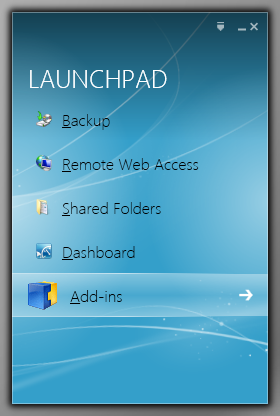
• Locally from the server’s Launchpad application that is installed on their computer.
• Remotely from almost anywhere using the server’s built-in Remote Web Access website.
• Remotely from Mac, iOS, Android, and Windows PC/Mobile computers and devices.
Screenshots






Installation Notes
Before installing the WHS Office 2011 add-in, you should install a licensed copy of Microsoft Office (2016, 2013, 2010, 2007, or 2003) directly on your server (it may also be installed on the server any time after the add-in has been installed). Both the 32-bit and the 64-bit versions are fully supported.
Once you have Microsoft Office installed, you can go ahead and install the WHS Office 2011 add-in (just as you would any other Windows Server Solutions .WSSX add-in). NOTE: WHS Office 2011 requires that the Microsoft .NET Framework 4.5 or higher be installed on your server. If necessary, you can download the .NET Framework 4.5 or higher installer package from here: Installing the .NET Framework
After the WHS Office 2011 add-in has been successfully installed, open the server Dashboard application, click on the new “WHS Office” icon in the navigation pane, and choose which users you want to allow access to WHS Office 2011.
WHS Office 2011 can be used completely free of charge for up to 21 days (some features are not available during the evaluation period). To continue using WHS Office 2011 after that, you will need to purchase a license and register the add-in. Click the shopping cart link, located in the sidebar of this page, to purchase a license for WHS Office 2011. Upon receipt of payment, you will be sent personalized registration information along with detailed instructions on how to register the add-in.
For complete information on installing and using WHS Office 2011, please see the ReadMe.txt file included with the download.
Additional Information (advanced)
WHS Office 2011 works with your server just as it comes straight out-of-the-box. It does not install any of the Remote Desktop Services (RDS) server roles on your server (e.g. Remote Desktop Session Host, etc.). Rather, it utilizes the underlying “Windows Server Solutions” (WSS) functionality of your server in order to work its magic. Your server remains in its default “Remote Administration” mode (as opposed to it being placed in “Application Server” mode as it would be when using RDS), and multiple concurrent remote connections to the server can be enabled using the add-in’s “multiple simultaneous connections” feature.
See Also
News – WSS 2011 Add-In Updates
News – Connecting From Mac / iOS / Android / Windows PC/Mobile Computers and Devices
FAQ – Multiple Simultaneous Connections
Q&A – Two-Factor Authentication (2FA)
Products – WSE RemoteApp 2012 R2
WHS Office 2011
Platform: Windows Home Server 2011, Windows Small Business Server 2011 Essentials, or Windows Storage Server 2008 R2 Essentials
Last Version: 1.255.1293.0
Released: July 18, 2017
 IMPORTANT NOTE: This product has been superseded by WHS RemoteApp 2011, and is no longer available.


